
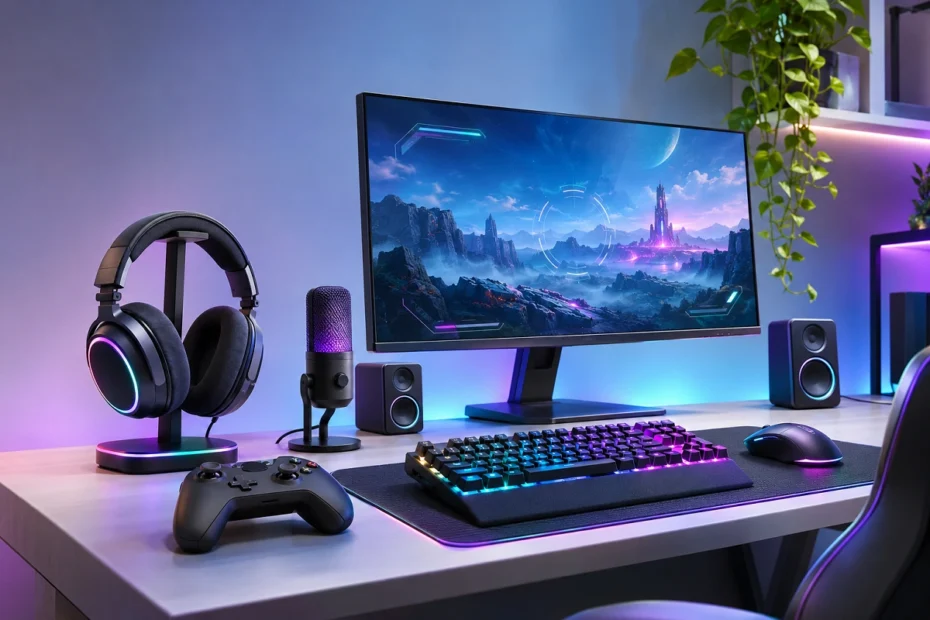
The best PC gaming gadgets 2026 include lightweight wireless mice, responsive gaming keyboards, high-refresh-rate monitors, comfortable headsets, and controllers designed for different gaming styles. The right accessories can improve precision, comfort, communication, and immersion without requiring you to replace your entire computer. A powerful graphics card matters, but it cannot compensate for a sluggish display, an uncomfortable mouse, or a headset that makes teammates difficult to understand. Fortunately, upgrading your gaming setup doesn’t have to mean spending thousands of dollars. Some of the most useful accessories are surprisingly affordable.
This guide explores 12 worthwhile gaming gadgets, explains their advantages and limitations, and helps you decide which upgrades deserve your money.
Best PC Gaming Gadgets 2026 at a Glance
Not every gaming gadget serves the same purpose. Some are essential for competitive gaming, while others make longer sessions more comfortable or simplify streaming.
Here’s a quick comparison of our recommended accessories.
| Gaming Gadget | Recommended Product | Best For |
|---|---|---|
| Wireless gaming mouse | Razer Viper V4 Pro | Competitive FPS games |
| Gaming keyboard | Wooting 80HE | Responsive keyboard inputs |
| Gaming monitor | ASUS ROG Strix XG27ACS | Smooth 1440p gaming |
| Wireless headset | SteelSeries Arctis Nova 5 | Multiplayer gaming |
| PC controller | 8BitDo Ultimate 2 Wireless | Racing, sports, and action games |
| Gaming mouse pad | Razer Gigantus V2 Pro | Precision mouse movement |
| USB microphone | HyperX QuadCast 2 | Streaming and communication |
| Streaming webcam | Elgato Facecam Neo | Video streaming |
| Shortcut controller | Elgato Stream Deck Neo | Streaming and productivity |
| Desktop speakers | Creative Pebble V3 | Casual gaming and entertainment |
| Monitor arm | VESA-compatible adjustable arm | Desk comfort and organization |
| Power protection | Properly sized UPS | Protection during power interruptions |
These recommendations consider product specifications, practical usefulness, and independent review findings. The right choice ultimately depends on your games, hardware, and budget.
12 Best PC Gaming Gadgets to Upgrade Your Setup
1. Razer Viper V4 Pro – Best Wireless Gaming Mouse
A gaming mouse is one of the first accessories worth upgrading, particularly if you enjoy competitive shooters. The Razer Viper V4 Pro is an excellent high-end option for players who prioritize lightweight handling and precise movement. Released in 2026, it features Razer’s Focus Pro 50K Gen-3 optical sensor, an approximately 49-gram black design, and wireless polling rates of up to 8,000Hz.
Its low weight makes rapid movements and repeated aiming adjustments feel less physically demanding.
Key features:
- Lightweight design for fast mouse movement.
- High-performance optical tracking sensor.
- Low-latency 2.4GHz wireless connection.
- Optical mouse switches.
- Adjustable sensitivity and programmable settings.
Why It Matters for Gaming
In games like Counter-Strike 2 and Valorant, mouse control affects aiming consistency. A suitable mouse can make precise movements easier, but the shape should match your hand size and grip style. The Viper V4 Pro is particularly suited to claw and fingertip grip users.
Potential drawback: Its premium features may offer limited practical benefits to casual gamers. You don’t need extremely high DPI or an 8,000Hz polling rate to play well.
Best for: Competitive FPS enthusiasts and players upgrading from a heavy or uncomfortable mouse.
2. Wooting 80HE – Best Responsive Gaming Keyboard
A reliable gaming keyboard can make movement, ability activation, and repeated commands feel more consistent.
The Wooting 80HE stands out because it uses magnetic Hall effect switches rather than conventional mechanical switches.
These switches allow players to customize how far a key must travel before registering an input.
Its Rapid Trigger feature also changes how quickly a key resets, which can be particularly useful when making rapid directional changes.
Important features:
- Adjustable key actuation.
- Rapid Trigger functionality.
- Up to 8,000Hz polling.
- Customizable keyboard profiles.
- Compact 80% layout with dedicated arrow keys.
Mechanical vs. Magnetic Keyboards
Traditional mechanical keyboards use physical switching mechanisms with relatively fixed activation characteristics.
Magnetic keyboards detect key movement electronically, allowing deeper control over activation and reset behavior.
For competitive gaming, this customization may be useful. However, a quality mechanical keyboard remains perfectly suitable for casual gaming.
Potential drawback: The Wooting 80HE uses a wired connection and costs more than many conventional gaming keyboards.
Budget alternative: Corsair K70 CORE.
Best for: FPS players, rhythm-game enthusiasts, and gamers who frequently customize keyboard settings.
3. ASUS ROG Strix XG27ACS – Best High-Refresh-Rate Gaming Monitor
A gaming monitor changes how you experience almost every game.
If you’re still using a basic 60Hz display, switching to a high-refresh-rate monitor can be one of the most noticeable improvements.
The ASUS ROG Strix XG27ACS offers a practical balance of image quality, responsiveness, and screen size.
It features a 27-inch Fast IPS panel, 2560 × 1440 resolution, and a maximum refresh rate of 180Hz.
This combination provides sharper images than 1080p while offering smooth motion for games that run at high frame rates.
Key features:
- 27-inch display.
- 1440p resolution.
- Maximum 180Hz refresh rate.
- Adaptive-Sync support.
- IPS technology with wide viewing angles.
Is 1440p Better Than 1080p for Gaming?
For many PC gamers, 1440p is an attractive middle ground. It delivers more detail than 1080p without demanding as much graphics processing power as 4K.
However, resolution isn’t everything. Your graphics card must be powerful enough to deliver comfortable frame rates at your chosen settings.
If you mainly play competitive games on an entry-level graphics card, a 1080p high-refresh-rate monitor may still make more sense.
For players seeking deeper blacks and premium HDR experiences, a 1440p OLED monitor such as the HyperX OMEN OLED 27q is another option. OLED displays can carry burn-in risks, particularly with prolonged static content.
Best for: Gamers wanting a noticeable visual upgrade without moving straight to an expensive 4K setup.
4. SteelSeries Arctis Nova 5 – Best Wireless Gaming Headset
Good audio helps you understand what’s happening in a game even when you cannot see it.
Footsteps, movement, dialogue, and environmental sounds all contribute to the experience.
The SteelSeries Arctis Nova 5 Wireless offers a combination of wireless convenience, customizable audio, and practical battery life.
Its 2.4GHz wireless connection is designed for low-latency gaming, while Bluetooth provides another connection option for compatible devices.
SteelSeries advertises up to 60 hours of battery life and more than 100 game-focused audio presets.
Why gamers may like it:
- Wireless freedom during gaming.
- Dedicated microphone for team communication.
- Customizable audio profiles.
- Long advertised battery life.
- Quick switching between supported wireless connection modes.
Is Surround Sound Necessary?
Not necessarily.
Virtual surround processing can help create a spatial impression, but accurate stereo headphones can also provide excellent directional information.
Comfort, sound tuning, microphone performance, and latency usually matter more than an impressive surround-sound label.
Premium alternative: Audeze Maxwell 2, particularly for players who prioritize detailed audio.
Best for: Multiplayer gamers, Discord users, and anyone who wants to eliminate headset cables.
5. 8BitDo Ultimate 2 Wireless – Best PC Gaming Controller
Not every PC game feels better with a keyboard and mouse.
Racing games, sports titles, platformers, and many third-person adventures often feel more natural with a controller.
The 8BitDo Ultimate 2 Wireless Controller offers modern features while retaining a familiar controller layout.
Its TMR thumbsticks use magnetic sensing technology, designed to reduce the wear-related drift associated with conventional contact-based sticks.
The controller also includes Hall effect triggers, extra programmable controls, and a charging dock.
Notable features:
- TMR thumbsticks.
- Hall effect triggers.
- 2.4GHz wireless connectivity for Windows.
- Wired PC connectivity.
- Programmable back buttons.
- Included charging dock.
Why TMR and Hall Effect Technology Matter
Traditional analog sticks can develop drift when their sensing components wear.
Magnetic sensing designs avoid some of that mechanical contact, although they do not guarantee that drift or other controller problems will never occur.
One important compatibility detail: on this model, Bluetooth is intended for supported Android and Apple devices, while Windows PC gaming uses the wired or 2.4GHz wireless connection.
Best for: Racing, football, platform, and story-driven game enthusiasts.
6. Razer Gigantus V2 Pro – Best Precision Gaming Mouse Pad
A mouse pad might seem less exciting than a new keyboard or headset, but the surface beneath your mouse affects how consistently it moves.
The Razer Gigantus V2 Pro gaming mouse pad offers multiple surface options with different speed and control characteristics.
This makes it easier to choose a pad that matches your aiming preferences.
Some players prefer faster mouse movement, while others want more resistance to help stop the cursor precisely.
What to look for:
- Sufficient space for large mouse movements.
- A consistent tracking surface.
- A stable, non-slip base.
- Easy cleaning and maintenance.
- Surface speed appropriate for your sensitivity settings.
Control vs. Speed Mouse Pads
Control-oriented surfaces typically provide more resistance, which some players prefer for precise stopping.
Speed-oriented surfaces reduce resistance and may suit rapid movement.
Neither is universally better. Your mouse sensitivity, preferred games, and personal habits all influence the ideal choice.
A large, good-quality cloth mouse pad is often sufficient for beginners.
Best for: FPS players, low-sensitivity mouse users, and gamers with limited desk-surface consistency.
7. HyperX QuadCast 2 – Best USB Microphone for Gamers
If you regularly communicate with teammates or want to start streaming, microphone quality deserves attention.
A standalone USB microphone can produce clearer voice recordings than many basic headset microphones, provided you position it correctly.
The HyperX QuadCast 2 includes a tap-to-mute sensor, adjustable controls, and multiple recording patterns.
It supports recording resolutions up to 24-bit/96kHz and connects directly through USB.
Key features:
- Convenient USB connection.
- Tap-to-mute control.
- Four selectable polar patterns.
- Built-in microphone monitoring.
- Included desktop stand and shock mount.
How to Get Clearer Microphone Audio
Buying a good microphone is only part of the process.
Position it near your mouth, keep it away from keyboard vibrations, and adjust its input gain to avoid distortion.
For solo gaming and streaming, a cardioid pickup pattern is generally a sensible starting point.
A dynamic microphone may be preferable in particularly noisy rooms because many designs are easier to use close to the mouth.
Best for: Streamers, content creators, and gamers who communicate frequently.
8. Elgato Facecam Neo – Best Webcam for Beginner Streamers
Streaming is increasingly accessible, and you don’t need a professional camera to begin.
The Elgato Facecam Neo offers up to 1080p video at 60 frames per second.
It also includes autofocus and compatibility with common PC video workflows.
For beginners, these features provide a useful starting point for face-camera overlays, streaming, and video conversations.
Key features:
- Up to 1080p/60fps recording.
- Autofocus.
- USB connectivity.
- Compact design.
- Compatibility with Windows PCs.
Does a Better Webcam Improve Streaming?
Yes, but lighting is equally important.
A moderately priced webcam with soft, properly positioned lighting can produce a more appealing image than an expensive camera used in a dark room.
Place your light in front of you rather than directly behind your head.
Also remember that the Facecam Neo has no built-in microphone, so you’ll need a headset microphone or separate audio device.
Best for: Beginner Twitch and YouTube streamers, video creators, and online gaming communities.
9. Elgato Stream Deck Neo – Best Programmable Shortcut Gadget
Some gadgets don’t improve gaming performance directly but make a setup easier to manage.
The Elgato Stream Deck Neo is a programmable desktop controller with eight customizable LCD keys.
It lets you launch applications, trigger shortcuts, switch between supported workflows, and automate repetitive actions.
For streamers, this can mean faster access to commonly used controls.
Useful applications include:
- Opening Discord and gaming software.
- Triggering streaming shortcuts.
- Controlling compatible applications.
- Switching between task profiles.
- Managing repetitive desktop actions.
Do Casual Gamers Need a Stream Deck?
Usually not.
If you mainly play games without recording or streaming, keyboard shortcuts may already cover your needs.
However, anyone managing multiple applications during gaming may appreciate dedicated controls.
Best for: Streamers, multitaskers, and creators who frequently switch between applications.
10. Creative Pebble V3 – Best Compact Gaming Speakers
Headphones are useful, but sometimes you just want to enjoy a game without wearing anything over your ears.
The Creative Pebble V3 speakers provide a compact alternative for everyday PC audio.
They support USB audio, Bluetooth connectivity, and a 3.5mm auxiliary input.
Their small footprint also makes them suitable for crowded desks.
Key benefits:
- Compact desktop design.
- USB-C audio and power.
- Bluetooth 5.0 connectivity.
- Easy-to-access volume control.
- Suitable for casual gaming, music, and videos.
Speakers vs. Headsets
A headset is usually the better choice for private communication and competitive gaming where background noise matters.
Speakers are often more comfortable for casual use and shared listening.
The Pebble V3 is a convenient general-purpose option, though larger speaker systems with dedicated subwoofers can deliver stronger bass.
Best for: Casual gamers, students, and players building a compact entertainment setup.
11. Adjustable Monitor Arm – Best Ergonomic Desk Upgrade
A gaming setup should remain comfortable during long sessions.
Unfortunately, many monitors come with stands that offer limited positioning flexibility.
A properly selected adjustable monitor arm allows you to change the screen’s height, distance, and angle.
It can also free up valuable desk space beneath your display.
Advantages include:
- More flexible screen positioning.
- Less clutter around the monitor base.
- Improved desk organization.
- Easier adjustment for different seating positions.
What Makes a Good Monitor Arm?
Before purchasing, check the monitor’s weight, VESA mounting pattern, and the arm’s supported adjustment range.
Also make sure your desk can safely support the clamp or mounting mechanism.
For comfortable viewing, position the monitor so you can look at the screen without repeatedly tilting your neck.
Best for: Gamers using small desks, large monitors, or shared gaming and work setups.
12. UPS and Power Protection – Best Practical Gaming Accessory
A high-performance gaming PC is a significant investment, so power protection should not be overlooked.
A UPS (uninterruptible power supply) provides temporary battery power during interruptions, giving you time to save your work or shut down safely.
This can be especially useful in locations where unexpected outages or voltage fluctuations occur.
A UPS and a surge protector serve different purposes.
A surge protector helps protect against electrical spikes but cannot keep a PC running during an outage.
A suitable UPS provides battery backup and typically includes surge protection.
What to consider:
- Total system power consumption.
- UPS watt and VA ratings.
- Expected battery runtime.
- Compatibility with your PC’s power supply.
- Manufacturer warranty and battery replacement options.
For gaming PCs with active-PFC power supplies, a pure sine wave UPS is often a sensible option, subject to the manufacturer’s compatibility guidance.
Avoid choosing a UPS solely because its advertised VA figure looks impressive. Its actual watt capacity must safely support your equipment.
Best for: Gamers concerned about unexpected shutdowns, electrical instability, or interrupted work.
How to Choose the Right Gaming Gadgets in 2026
With so many options available, choosing accessories can become confusing.
The simplest approach is to identify the problem you want to solve before spending money.
1. Prioritize Performance Over Appearance
RGB lighting can make a gaming setup attractive, but it rarely improves gaming performance.
For mice, keyboards, monitors, and headsets, focus on practical characteristics:
- Mouse shape and sensor consistency.
- Keyboard responsiveness and switch feel.
- Monitor refresh rate and response-time performance.
- Headset comfort, latency, and microphone clarity.
A comfortable, reliable accessory is usually more valuable than an expensive product loaded with decorative features.
2. Check Hardware Compatibility
Before purchasing a monitor, consider your graphics card’s capabilities.
A 4K monitor with a high refresh rate may offer impressive specifications, but it will not guarantee smooth gameplay if your PC cannot render enough frames.
Likewise, verify USB connectivity, controller platform support, software requirements, and available ports.
Don’t assume that every wireless accessory works identically through Bluetooth and a dedicated USB receiver.
3. Understand Input Latency
Input latency is the delay between an action and the system responding.
For competitive gaming, lower latency is desirable.
However, advertised polling rates are not the same as overall input latency.
An 8,000Hz device reports information more frequently than a 1,000Hz device, but the real-world difference depends on firmware, system performance, processing, and the game itself.
Beginners should prioritize consistent performance and comfort before chasing the highest specification numbers.
4. Consider Wireless Battery Life
Wireless accessories create a cleaner desk, but they require charging.
Check whether the product supports charging during use and whether the advertised battery life assumes lower-performance settings.
A dedicated 2.4GHz wireless receiver is generally preferable to ordinary Bluetooth for latency-sensitive gaming, although actual performance varies between devices.
5. Think About Long-Term Value
A cheaper product that becomes uncomfortable or unreliable after a few months may be poor value.
Consider warranty coverage, replacement parts, software support, and the manufacturer’s reputation for updates.
For gaming peripherals, comfort and durability often matter more than owning the newest release.
Best Gaming Accessories by Budget and Game Type
A good gaming setup doesn’t need every accessory on this list.
Use your current equipment and gaming preferences to decide where to spend.
Budget Gaming Setup: Under $100 in Accessories
If you already own a PC and monitor, start with straightforward improvements.
A practical combination might include:
- A reliable entry-level gaming mouse.
- A reasonably priced cloth mouse pad.
- A comfortable wired headset.
Depending on local prices, these may fit within a $100 accessory budget.
If your current keyboard is functioning well, there is little reason to replace it immediately.
Mid-Range Gaming Setup: $100-$300 in Upgrades
With a larger budget, concentrate on the accessory that currently limits your experience.
For example, a casual gamer with a basic 60Hz monitor might benefit more from a higher-refresh-rate display than an expensive mouse.
Alternatively, someone who mainly plays multiplayer titles may prefer a better headset and keyboard.
Actual prices vary by retailer and region, so these ranges are planning guides rather than fixed shopping bundles.
Premium Gaming Setup: Above $300 in Upgrades
Higher budgets make it possible to explore premium accessories such as:
- Magnetic gaming keyboards.
- Ultralight wireless gaming mice.
- High-refresh-rate OLED monitors.
- Premium wireless gaming headsets.
- Specialized streaming accessories.
However, premium equipment is not automatically the smartest purchase.
Upgrade the parts that affect your experience most rather than buying everything from the same brand.
Which Accessories Suit Different Games?
| Gaming Style | Most Useful Upgrades |
|---|---|
| Competitive FPS | Lightweight mouse, large mouse pad, high-refresh-rate monitor |
| Racing games | Controller, racing wheel, responsive display |
| RPG and adventure | Comfortable headset, quality display, controller |
| MMO and strategy | Keyboard, mouse with programmable buttons, larger display |
| Streaming | USB microphone, webcam, shortcut controller |
| Casual gaming | Comfortable peripherals, speakers, ergonomic setup |
For racing enthusiasts, a dedicated steering wheel and pedal set may be more worthwhile than another mouse or keyboard.
Similarly, MMO players may benefit more from additional programmable mouse buttons than an extremely lightweight esports mouse.
Common Mistakes to Avoid When Buying Gaming Gear
Even experienced gamers sometimes spend money on features that add little value to their setups.
Buying Based Only on Specifications
A mouse advertising 50,000 DPI is not necessarily more useful than one with a lower maximum sensitivity.
Most gamers operate far below the maximum settings offered by modern high-end sensors.
Choose products based on usability and reliable performance rather than impressive marketing figures.
Ignoring Ergonomics
An uncomfortable keyboard, mouse, or chair can make long sessions unpleasant.
Try to choose equipment that suits your hand size, body position, and desk layout.
Take regular breaks and adjust your setup when you notice persistent discomfort.
Overspending on RGB Lighting
A coordinated desk setup can look attractive, but lighting should be secondary to product quality.
Spend on better displays, audio, or ergonomic improvements before paying extra solely for decorative effects.
Overlooking Compatibility
Not all gamepads support every operating system or wireless connection method.
Some monitor features also require specific cables, graphics hardware, or display settings.
Check manufacturer requirements before ordering.
Replacing Everything at Once
Buying accessories one at a time makes it easier to understand which changes improve your experience.
Start with your biggest problem, evaluate the improvement, and decide what to upgrade next.
This reduces unnecessary spending.
Frequently Asked Questions
1. What are the best PC gaming gadgets in 2026?
The best PC gaming gadgets in 2026 include responsive gaming mice, magnetic keyboards, high-refresh-rate monitors, wireless headsets, and PC controllers. Products such as the Razer Viper V4 Pro, Wooting 80HE, ASUS ROG Strix XG27ACS, and SteelSeries Arctis Nova 5 are strong choices for different gaming needs.
2. Which gaming gadget should beginners buy first?
Beginners should prioritize a comfortable mouse, reliable keyboard, and clear display. If those are already adequate, a good headset or controller may provide the most noticeable improvement.
3. Are wireless gaming accessories better than wired ones?
Modern wireless gaming accessories can deliver excellent responsiveness, particularly through dedicated low-latency receivers. Wired devices remain attractive because they are simple, reliable, and don’t require charging. Neither connection type is automatically better for everyone.
4. Is a 144Hz or 180Hz monitor worth buying in 2026?
Yes, provided your PC can deliver suitable frame rates. Both offer smoother motion than a 60Hz display. The difference between 144Hz and 180Hz is smaller than the jump from 60Hz to 144Hz, so image quality and overall value should also influence your choice.
5. Do expensive gaming gadgets improve performance?
Some premium accessories offer measurable advantages in latency, tracking, or display response. However, these improvements do not automatically make someone a better player. Practice, comfort, suitable settings, and stable system performance remain important.
6. Can I build a good PC gaming setup on a budget?
Absolutely. Start with a dependable mouse, keyboard, display, and headset. Upgrade individual accessories only when you identify a clear limitation. A carefully chosen budget setup can deliver an excellent gaming experience without premium-priced equipment.
Final Verdict: Which PC Gaming Gadgets Should You Buy First?
The best PC gaming gadgets aren’t necessarily the newest or most expensive products. They’re the accessories that solve real problems and make your favorite games more enjoyable. For competitive FPS players, a lightweight mouse such as the Razer Viper V4 Pro and a responsive keyboard like the Wooting 80HE are worth considering. For gamers seeking a major visual improvement, the ASUS ROG Strix XG27ACS offers a practical combination of 1440p resolution and high refresh rate. Meanwhile, the SteelSeries Arctis Nova 5 suits multiplayer gaming, and the 8BitDo Ultimate 2 Wireless provides an appealing controller option for PC titles that benefit from analog controls. Streaming-focused players may get more value from a dedicated microphone, webcam, or programmable shortcut controller. The smartest approach is simple: identify your biggest setup limitation, choose an accessory that addresses it, and upgrade gradually.
A great PC gaming setup in 2026 is built around your needs, not a long shopping list.
If you think any information is missing or you have questions, please contact me.